
HVAC configurator and visual CPQ for manufacturers, distributors and dealers
HVAC configurator software for manufacturers.
We specialize in complex products. Configurix builds your HVAC configurator and custom business software around equipment families, approved operating inputs, combinations, controls and accessories. Connect the selected package to account pricing, quotes and the agreed technical or factory handoff.
Discuss your product range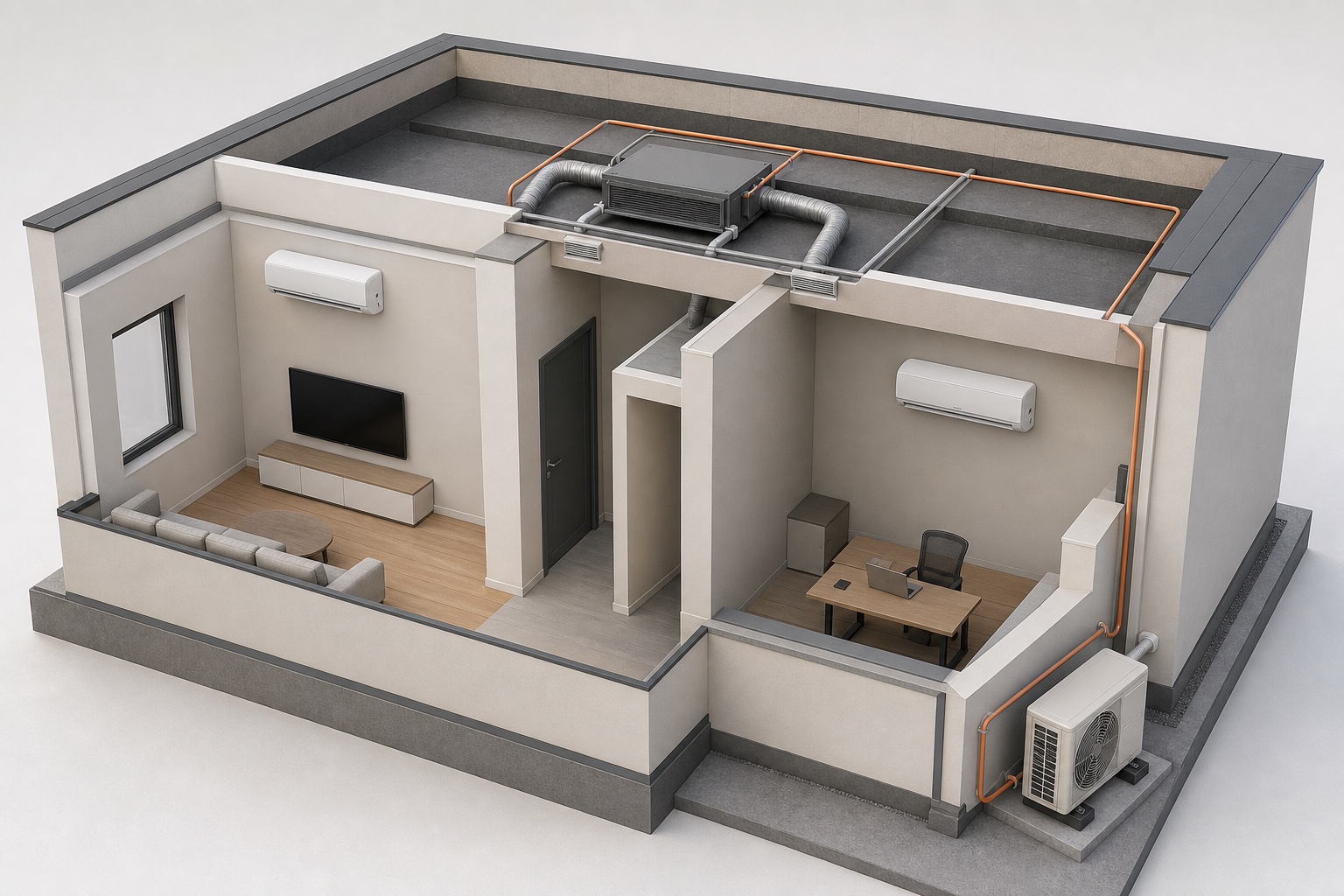
- Equipment and units
- Controls and accessories
- Connections and kits
Your catalogue, easier to configure.
Project inputs and duty
Start with the conditions the manufacturer actually uses for selection.
Equipment selection
Guide users through real product families and performance data.
System and option rules
Keep units, combinations and dependent components compatible.
Visualisation and enclosure
Communicate the selected equipment and intended project context.
Pricing and channel control
Use the same selection across manufacturer and channel sales.
Documents and data handoff
Preserve the accepted project beyond the selection screen.
Carry approved duty and sizing inputs, equipment-data versions and technical-review status through to the quote.
Custom software for manufacturers
A configurator up front. Your business connected behind it.
Keep the selected product connected to the customer, appointments, quotes, materials and the agreed production handoff. We build the workflow around your catalogue and the systems your team uses.
CRM and qualified leads
Keep application inputs, selected units, operating conditions and technical-review status with the customer account, qualified opportunity and assigned follow-up.
New enquiry
Configured HVAC package
Product fitQualified
Configured HVAC package
RequirementsProposal
Configured HVAC package
Next actionCalendars and appointments
Let a configured project continue into a sales consultation, technical review, survey or installation appointment. Connect calendars, responsibilities and reminders to the same customer record.
- 09:00Project review
- 11:30Technical review
- 14:00Production planning
Bill of materials and factory data
Map the accepted equipment combination, controls, connection kits and accessories to your item codes and quantities, retaining product-data versions and the agreed technical approval.
| Component | Quantity |
|---|---|
| FRM-01Equipment and units | 1 |
| PNL-02Controls and accessories | 1 |
| KIT-03Connections and kits | 1 |
Mapped to your product codes
Live prices and branded quotes
Apply your own formulas, price lists, dealer margins and approval rules. Generate a quote containing the saved specification, product images, commercial terms and a clear customer approval step.
Quote revision
Orders, jobs and production
Carry accepted choices into order lines and assigned jobs. Keep product revisions, required approvals, documents and delivery tasks together so sales and the factory work from the same specification.
- Accepted quote01
- Configured order02
- Production job03
- Installation04
Invoicing and accounting
Connect accepted orders to deposits, invoice drafts, payment terms and your accounting workflow. Agree which system issues the invoice and how references and confirmed payment status return to the project.
Configured HVAC package
Built for your website. Connected to your systems.
Launch a branded configurator in your existing website or a custom sales portal. Connect CRM, ERP, PIM, ecommerce, calendars and accounting through available APIs, webhooks or agreed imports. We define the data, permissions and responsibilities for each connection with your team.
- 01Your website
- 02Configurator
- 03CRM & calendar
- 04ERP & accounting
Choose the workflows your implementation needs. We build and validate them against your products, documents and target systems.
Plan your manufacturing configuratorBuild the platform around your products.
Bring your catalogue, pricing rules and required outputs. We’ll define your configurator, sales workflow and custom factory software around the way your business works.
Questions and answers
Catalogue rules and technical details
HVAC configuration software defined
Selection, configuration, CPQ and engineering are connected—but different—jobs.
Configurix connects project conditions, governed equipment data, compatibility, options, account pricing, documents and technical-review status in one traceable HVAC sales project—without presenting a visual configuration as automatic engineering approval.
HVAC configuration starts with a governed product catalogue and a defined project duty. It can guide a user from application and operating inputs to permitted equipment, combinations, factory options, controls, accessories and services while preserving why each product was selected.
Visual placement adds useful context. Indoor, outdoor, concealed or packaged equipment can be shown at credible scale with access zones and intended positions. That scene helps customers and sales teams understand the proposal, but it does not independently validate loads, airflow, drainage, sound, pipework, structure, electrics or compliance.
Visual CPQ connects the accepted technical selection to account prices, discounts, freight, service, commissioning, proposals, revisions and approvals. Manufacturers can govern one product model while distributors, branches and dealers receive the ranges, prices, permissions, languages and documents intended for them.
Specialist calculations can be implemented or integrated when their methods, inputs, data rights and acceptance tests are defined. Otherwise, Configurix should capture approved results and route selections for technical review rather than inventing an engineering answer from incomplete information.
- Split, multi-split, cassette, ducted, heat-pump and VRF product families
- Equipment, combination, option, control and accessory rules
- Manufacturer, distributor, dealer and contractor workflows
- Live account pricing, quotes and optional configured-order handoff
Model the HVAC decisions that determine product validity and commercial accuracy.
The implementation is built from the manufacturer's equipment data, rules, prices, documents and review process—not from generic capacity labels or decorative 3D models.
Project inputs and duty
Start with the conditions the manufacturer actually uses for selection.
- Application, spaces or zones, approved heating and cooling duty
- Indoor and outdoor conditions, airflow, static pressure and electrical supply
- Building, site, service, survey and technical-review status
Equipment selection
Guide users through real product families and performance data.
- Split, multi-split, cassette, ducted, rooftop, heat-pump and VRF families
- Indoor and outdoor units, nominal and condition-dependent performance
- Dimensions, sound, electrical, refrigerant, connection and availability fields
System and option rules
Keep units, combinations and dependent components compatible.
- Indoor-to-outdoor combinations, quantities, diversity and capacity limits
- Branch components, controls, sensors, interfaces and required accessories
- Regional variants, electrical packages, refrigerants and lifecycle status
Visualisation and enclosure
Communicate the selected equipment and intended project context.
- Indoor, outdoor, ceiling, concealed and packaged equipment placement
- Dimensions, access zones, route concepts and customer-facing 3D views
- Optional enclosures, panels, louvers, doors, finishes and acoustic packages
Pricing and channel control
Use the same selection across manufacturer and channel sales.
- Website, internal sales, distributor, wholesaler, dealer and contractor interfaces
- Equipment, options, controls, freight, service, commissioning and installation prices
- Account catalogues, discounts, margins, currencies, taxes and approval permissions
Documents and data handoff
Preserve the accepted project beyond the selection screen.
- Quotes, selection summaries, schedules, assumptions and revision history
- Optional BOM, configured-order, submittal or technical-review payloads
- CRM, ERP, PIM, ecommerce, selection-tool, API and webhook connections
From project requirement to a technically reviewable HVAC offer.
Sales, dealer and technical teams can continue from the same versioned project while the interface distinguishes accepted data, calculated results, visual context and review conditions.
Define the project
Capture conditions and approved duty
Record the application, zones, operating inputs, load result source and commercial context needed for selection.
Configure equipment
Select valid products and options
Apply manufacturer performance, combination, accessory, control and availability rules to the project.
Create the offer
Calculate price and assemble documents
Use the authorised account terms and continue into a branded quote, schedule or selection summary.
Review and hand off
Preserve status, versions and outputs
Route technical conditions for approval before passing accepted product and commercial data downstream.
A product selector returns a model. Connected HVAC CPQ preserves the whole commercial decision.
Manufacturers should test data provenance, combinations, account rules, revisions and handoff while keeping specialist engineering calculations explicit.
| Requirement | Configurix HVAC implementation | Generic selector or visualizer |
|---|---|---|
| Input and data provenance | Project conditions, approved duty, catalogue version and selection inputs can remain attached to the saved project. | May return a model number without preserving the complete source and commercial context. |
| Combination and option rules | Units, capacity ranges, combinations, controls, accessories and regional availability can follow governed data. | Often filters a list or changes visible options without modelling the full system structure. |
| Engineering boundaries | Calculated, imported, visual and review-required information can be labelled and routed appropriately. | May blur indicative product selection with load, pipe, duct, electrical or compliance approval. |
| Account pricing and approvals | The same selection can use distributor or dealer catalogues, prices, discounts, margins and approval levels. | Commercial terms are commonly applied later in a spreadsheet, CRM or quoting system. |
| Quote and order continuation | Accepted equipment, options, price, documents and review status can continue into defined downstream systems. | Usually ends with a selection file, image or report that another team must reconstruct. |
Explore the connected platform.
Customer-facing product journey
Air-conditioning configurator
See how rooms, units, placement, controls, pricing and project capture can appear in a guided visual experience.
Industry examples
3D product configurator examples
Compare HVAC with other configurable products through inputs, rules, visuals, prices, actions and outputs.
Connected systems
Product configurator integrations
Define ownership, versions and acceptance for selection tools, PIM, CRM, ERP, order and analytics data.
Vendor evaluation
Configurator requirements checklist
Turn product, performance, pricing, document, integration and review needs into testable requirements.
Delivery planning
Product configurator implementation guide
Follow the work from HVAC data discovery through modelling, review, acceptance and ownership.