
What a sales-ready 3D configurator lead should include
A practical field map and handoff test for manufacturers: keep product choices, dimensions, pricing status and quote intent attached to every configurator enquiry.
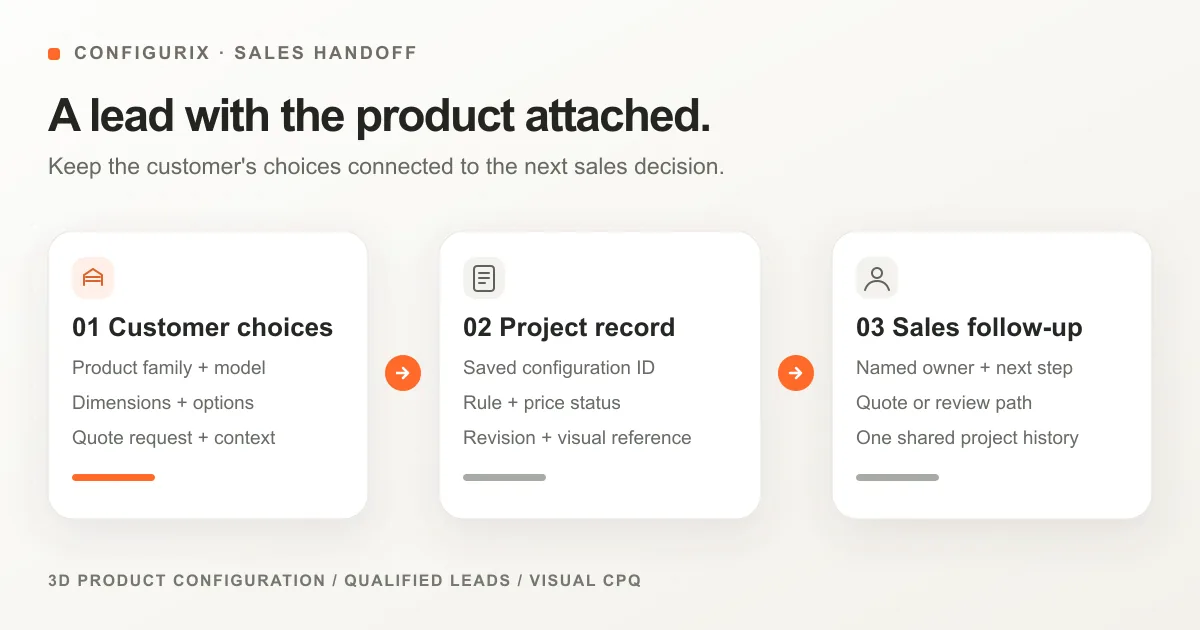
Table of contents
- When does a visitor become a sales-ready project?
- Which fields belong in the handoff?
- A pergola example: what should the sales team receive?
- The price needs a status, not just a number
- Preserve the configuration across CRM and sales tools
- Route by useful context, not an opaque “hot lead” score
- Eight tests to run before launch
- Questions to bring to a configurator demo
- Where Configurix fits
A sales-ready 3D configurator lead is more than a contact form submission. It links a person and their buying intent to a saved product configuration: the model, dimensions, selected options, rule status, price context and the next action for sales. If those details are missing, a salesperson has to start the configuration again on the first call.
For a manufacturer or dealer, the useful question is not “How many leads did the configurator collect?” It is “Can the person receiving this enquiry understand what the buyer chose, what remains undecided and what can be quoted?” This guide gives you a field map and a set of tests for answering that question. It is intended for teams evaluating or planning a 3D product configurator, not as a universal CRM schema.
When does a visitor become a sales-ready project?
Treat browsing, saving and requesting a quote as different states. A person who changes a roof color has shown interest, but has not necessarily asked to be contacted. A quote request creates a task for someone to review and answer. Conflating those states inflates “lead” totals while leaving the sales team unsure what to do.
| State | What happened | What the team should know |
|---|---|---|
| Exploring | A buyer changed product choices but has not requested contact | Which product journeys attract attention; no individual sales task is implied |
| Saved project | A configuration can be reopened or continued | Its stable project ID, selected model and current revision |
| Quote enquiry | The buyer asked for a response | Contact details, chosen product, price status, open questions and an owner for the next step |
| Accepted quote or order | Commercial terms and specification have been confirmed | The accepted revision and the agreed downstream handoff |
For most configurable products, the quote enquiry is the first point at which a sales representative needs a complete, actionable record. A lead-generation workflow should be designed around that handoff, not around the form fields alone.
Which fields belong in the handoff?
Keep the buyer's answers and the system's interpretation separate. “Anthracite frame” is a selected option; “this combination is allowed under catalogue revision 12” is a rule result. Likewise, a visible price may be final for the configured scope, indicative, or awaiting review. Those distinctions prevent the next team from treating an incomplete enquiry as a confirmed order.
| Field group | Minimum useful fields | Why sales needs them |
|---|---|---|
| Buyer and intent | Name, preferred contact method, company or project role when relevant, request type | Know whom to contact and whether the buyer wants a quote, consultation or another action |
| Product identity | Product family, model or system ID, catalogue revision | Open the right product definition instead of guessing from a render |
| Configuration | Dimensions with units, mounting/layout choice, selected components, finishes and accessories | Understand exactly what the buyer built and what affects the quote |
| Validation | Rule result, unresolved selections, exceptions requiring review | Avoid promising a variant the catalogue does not allow |
| Commercial context | Price shown, currency, tax and installation assumptions, price status, pricing-rule version | Explain what the number includes and whether it can be quoted as shown |
| Project context | Market or dealer, site location at the level needed to serve the project, requested timing, buyer comments | Route the enquiry to the right team and identify work that cannot be inferred from product choices |
| Continuity | Stable project ID, revision, timestamp, view or snapshot reference, source page | Reopen the same project and see which version the buyer submitted |
Not every field has to be demanded before the buyer can explore. Ask for personal details when there is a clear reason to respond, and collect only the information needed for that journey. The crucial design decision is that the product data stays linked to the enquiry when the buyer does submit it.
A pergola example: what should the sales team receive?
Consider a buyer configuring a wall-mounted pergola. They choose a 4.2 × 3.5 m footprint, an anthracite frame, a louvered roof and LED lighting, then request a quote. They have not selected a side screen, and installation depends on a site check.
A weak handoff reads: “New website lead — interested in a pergola.” A useful project record tells the salesperson what can happen next:
| In the sales view | Example value |
|---|---|
| Request | Quote requested for a wall-mounted pergola |
| Product | Pergola system and catalogue revision used during configuration |
| Dimensions | 4.2 m width × 3.5 m projection; units and input source retained |
| Selections | Anthracite frame; louvered roof; LED lighting |
| Unresolved choice | Side screen not selected |
| Price | Pricing status recorded as “subject to site review” if installation or mounting is not yet priced |
| Visual reference | Saved view tied to this exact revision |
| Next action | Assigned salesperson to confirm site conditions and prepare the quote |
A configurator should not show a fixed price when site conditions, installation or exceptions still change the commercial result. The pergola configurator page shows the product category; the test in a real implementation is whether your own catalogue and pricing rules produce a reliable handoff for your team.
The price needs a status, not just a number
“Live price” can mean several things. Decide what your buyer is allowed to conclude from the number on screen, then carry that meaning into the quote enquiry.
| Price status | What it means | Appropriate next step |
|---|---|---|
| Configured price | All selected options and the defined scope have passed the relevant rules | Review and issue the quote under the agreed commercial process |
| Indicative price | The figure covers a defined set of choices but excludes named variables, such as survey-dependent installation | Confirm the missing variables before the final quote |
| Manual review | A rule exception, engineering decision or unsupported option prevents an automatic price | Route to the person authorized to resolve the exception |
| No price shown | The journey intentionally captures a specification before commercial calculation | Explain when and how the buyer will receive a price |
The amount by itself does not tell sales which category applies. Keep the currency, included and excluded items, tax treatment where relevant, account or dealer context, and pricing-rule revision with the saved project. If a representative changes the configuration later, retain the submitted version so there is no ambiguity about what the buyer first saw.
Preserve the configuration across CRM and sales tools
The configurator project and the CRM contact are related, but they are not the same record. One contact can request quotes for several products. One product project can have several revisions. A dealer may work on behalf of an end customer. Model those relationships explicitly instead of squeezing the entire specification into a single “lead notes” field.
A practical mapping is:
- Give the configured project its own stable identifier and version.
- Associate the buyer or dealer contact with that project.
- Record the request event and the assigned follow-up owner.
- Store a human-readable summary and the structured selections needed to reopen or review the project.
- If a CRM submission fails, retry or reconcile it without creating a second opportunity for the same request.
The receiving CRM determines the exact object and property mapping. For example, HubSpot's CRM schema documentation describes custom objects, properties and associations; Salesforce's lead-conversion documentation distinguishes a lead from the account, contact and optional opportunity created during conversion. Neither model is a reason to discard the saved product specification. Agree the mapping with the team that owns the CRM before the configurator goes live.
This does not mean every site needs a complex integration on day one. A small team can begin with a reviewable project record and a reliable notification, then add CRM field mapping once the required data and owners are clear. What matters is that a salesperson can find the same configuration the buyer submitted.
Route by useful context, not an opaque “hot lead” score
Lead quality is a business decision, not a magic number. Start with observable signals that determine who should respond: product family, service area, dealer territory, quote request, rule exceptions and whether essential dimensions are present. Then define a clear owner and response path for each state.
For example, a valid pergola quote request in an active dealer territory can go to that dealer's sales queue. A garden-room project with an unsupported dimension might go to technical review first. An enquiry outside the service area should not be silently dropped; the business should define what response the buyer receives. A duplicate form submission should update or reference the existing project, not create competing sales tasks.
If you later use lead scoring, make the underlying signals visible to the salesperson. “Priority: review mounting conditions” is more actionable than “Score: 82.”
Eight tests to run before launch
Use one real product family from your catalogue and record the result of each test. A polished demo is not proof that the handoff works when data is incomplete or a system is unavailable.
| Test | Pass condition |
|---|---|
| 1. Valid quote request | The receiver sees the exact permitted options, dimensions and project ID |
| 2. Rule conflict | An invalid combination cannot silently become a quote-ready project |
| 3. Unfinished selection | The receiver sees what remains undecided instead of a misleading default |
| 4. Price qualification | The amount, currency, included scope and price status match what the buyer saw |
| 5. Revision after submission | The original submitted version remains identifiable when sales changes the design |
| 6. Repeated submission | The same request does not create two unrelated opportunities |
| 7. Integration failure | The project remains recoverable, with an owner for failed delivery or retry |
| 8. Mobile journey | A buyer can configure and submit on a phone, and sales receives the same usable record |
Ask to inspect the received project, not only the customer-facing animation. The best acceptance test follows a selection through the 3D view, rule result, commercial status, enquiry and the salesperson's next action. If an output depends on your ERP, CRM or quoting system, identify that dependency and test the actual connection before calling the handoff complete.
Questions to bring to a configurator demo
- Can you reopen the same configuration the buyer submitted, including its revision?
- What exactly happens to options and prices when a product rule changes?
- Which fields are structured data, and which are only text or an image?
- How do incomplete, invalid and manually reviewed requests reach the right person?
- What happens if a buyer submits twice or the CRM is temporarily unavailable?
These questions make a vendor comparison more useful than a feature checklist. A manufacturer considering a 3D configurator rollout should test them against its own catalogue, dealer model and sales workflow.
Where Configurix fits
Configurix connects interactive 3D product configuration, product rules, pricing, quotes and project follow-up in one configurable sales journey. The useful demonstration is not a generic gallery: it is your product family, one valid selection, one exception and the record your sales team would receive. That is how to evaluate whether the configured product can move from buyer interest to a proposal your team can act on.
If you are preparing a configurator project, book a Configurix walkthrough and bring your catalogue, a representative price rule and your current enquiry or quote form. We can map the information that needs to survive the handoff before discussing the interface around it.
See what your team would receive.
Bring one product family, a price rule and your current enquiry form. We can walk through the configuration and the information your sales team needs next.
Book a Configurix demo →Related articles
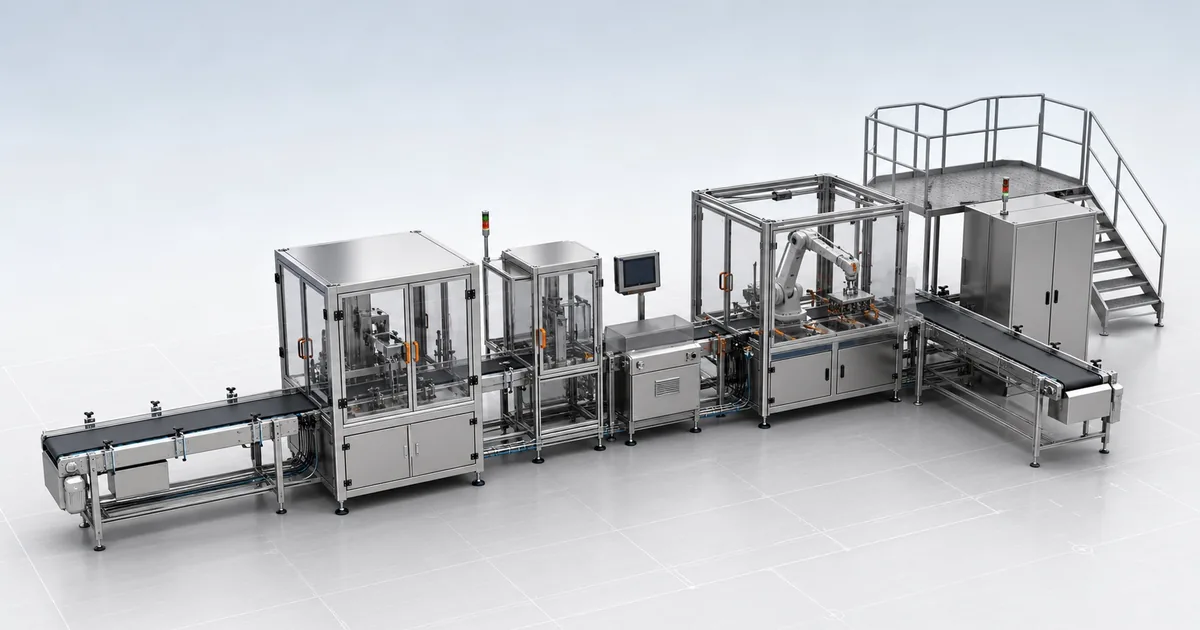
Best 3D configurator for manufacturers? Why choose Configurix
A manufacturer-focused case for Configurix: connect governed product rules, interactive 3D, pricing, quotes and dealer or sales handoffs in one configurable journey.

How Configurix connects manufacturers, dealers and customers in 3D
Keep one approved product model while giving each dealer the right catalogue, pricing context, brand and quote workflow. See how Configurix connects the journey.
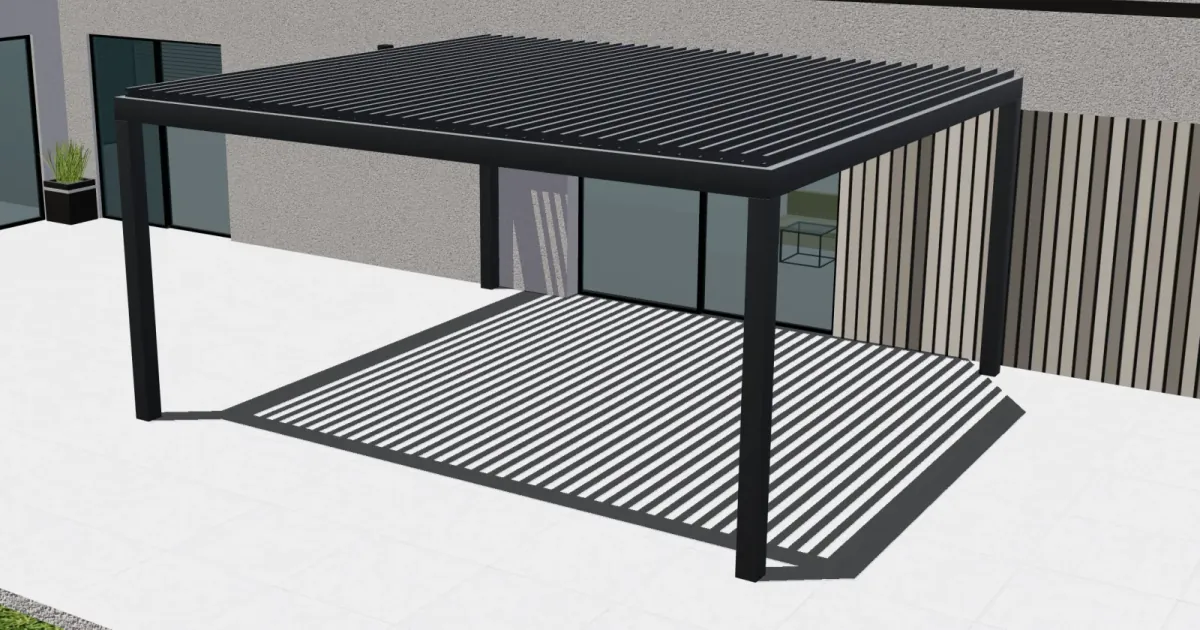
Parametric pergola configuration: from live 3D design to a quote
See how Configurix connects made-to-measure pergola dimensions, roof and side options, live 3D, pricing rules and a quote tied to the chosen design.
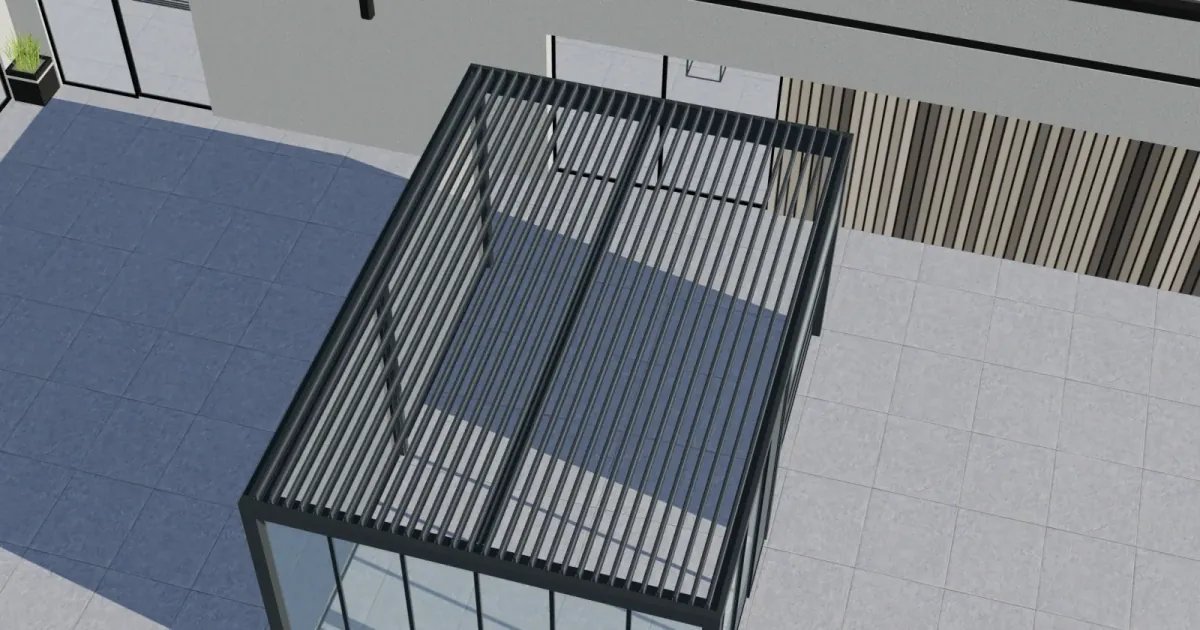
From pergola design to factory: BOM, CAD, cutting and CNC with Configurix
Follow a configured pergola from accepted 3D design to bill of materials, CAD-related data, production documents, cut plans and validated CNC handoff.